Facebook Page Comment Auto Reply to Messenger (Step by Step)
How to auto-reply to Facebook Page comments: connect your Page to SocialAutoDM, set a keyword rule, and every matching comment gets a public reply and a private Messenger message.
In this video
- Why it needs a Facebook Page you manage, not a personal profile
- Connect Facebook Page and approve access on Meta’s own screen
- Choosing the Page when you manage more than one
- The Page’s posts and insights in the post library
- A keyword rule with a public reply and a Messenger message
- What your follower sees, and reply-to-unlock on a Page
About this tutorial
SocialAutoDM answers comments on your Facebook Page automatically. Connect the Page through Meta’s own login screen, so you never share a password; if you manage several Pages, you choose which one to connect, and one plan covers one account. Then open a Page post and add a rule: the keyword people comment, matched exactly, anywhere in the comment, or by regex; a public reply posted under their comment; and a private message sent to their Messenger inbox as a reply to that comment. Meta allows one private reply per comment, so each comment gets one message. Reply-to-unlock works on Pages too: the first message asks for a reply, and your link follows when they send one. It costs $3.99 a month; cancel anytime.
Transcript
In this video, you'll connect a Facebook Page, and answer its comments with a public reply and a Messenger message, automatically.
You'll need a Facebook Page that you manage. A personal profile won't work, because Meta's API only works with Pages.
Click Connect Facebook Page, and approve access on Meta's own screen. SocialAutoDM never sees your password.
If you manage more than one Page, SocialAutoDM asks which one to connect.
Your plan covers one account, so keep the Page you want, and untick the rest.
Then click Connect.
Your Page is connected, and its posts are in the post library.
Each Page post has its insights too, like clicks and reactions.
Let's automate this one: dark rye is back. Click Automation rules.
People will comment RYE. With Contains, RYE anywhere in the comment counts.
The public reply is posted under their comment, on your Page's post.
And this message goes to their Messenger inbox, with the bake times.
Click Create rule, and it's live on your Page.
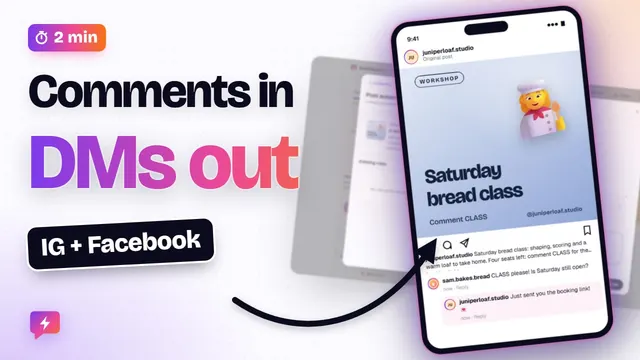
Here is what your follower sees. They comment RYE on your post.
Your Page replies right under their comment.
And the message arrives in Messenger. Meta allows one private reply per comment, so each comment gets one message.
Reply-to-unlock works on Pages too. The first message asks them to reply, and the bake times follow when they do.
Your plan covers one account. To run Instagram and a Page together, contact us from here.
That's Facebook Pages. Next up: keyword triggers, exact, contains and regex, explained. See you in the next video!
SocialAutoDM works with Facebook Pages and Instagram Business/Creator accounts via Meta’s official APIs. The bakery and its Pages in this video are a fictional demo account, and its posts and insights are staged.